Most contractor websites look fine. They have a logo, a list of services, maybe some photos. But they don’t generate leads. The difference between a contractor website that sits there and one that actually brings in calls comes down to a handful of specific elements. Here’s what the best contractor website examples have in common, and what most sites are missing.
What a High-Performing Contractor Website Actually Looks Like
There’s no single template that works for every contractor. A roofing company in Dallas and a landscaper in Ontario need different content. But the structural elements that convert visitors into leads are the same across every trade. These are the things that matter.
Element 1: A Clear Headline Above the Fold
The first thing a visitor sees when they land on your homepage decides whether they stay or leave. It has to answer three questions instantly: what you do, where you do it, and who you do it for.
Weak headline: “Welcome to ABC Contracting.”
Strong headline: “Concrete Pumping Services for Builders and Developers in the Phoenix Area.”
The strong version tells a commercial builder exactly whether they’re in the right place. The weak version tells them nothing. If someone has to scroll or read three paragraphs to figure out what you do, they’re already gone.
Element 2: Your Phone Number Is Visible at All Times
Your phone number should be in the top right corner of every page, on desktop and mobile. On mobile, it should be a tap-to-call link. This sounds obvious, but a significant number of contractor websites bury the phone number at the bottom of the page or inside the contact form.
People who are ready to hire don’t want to fill out a form. They want to call. Make it easy.
Element 3: Separate Service Pages for Each Trade or Location
One of the biggest mistakes contractors make is listing all their services on a single page. A page that says “We do roofing, gutters, siding, and exterior painting” ranks for almost nothing in search. Google needs dedicated pages to understand that you’re a roofing contractor, a gutter installer, and a siding company.
Each service should have its own page with a clear title, a description of how you deliver that service, photos, and a call to action. If you also serve multiple cities, you may need location pages too. A concrete company serving three metro areas should have a page for each one, not a single “service areas” paragraph buried on the homepage.
This is one of the core principles behind our construction website design approach. More targeted pages means more entry points from search.
Element 4: Real Project Photos
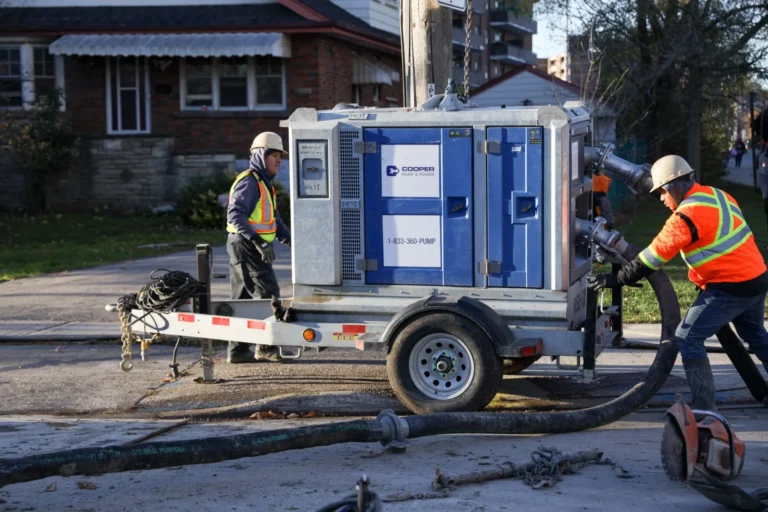
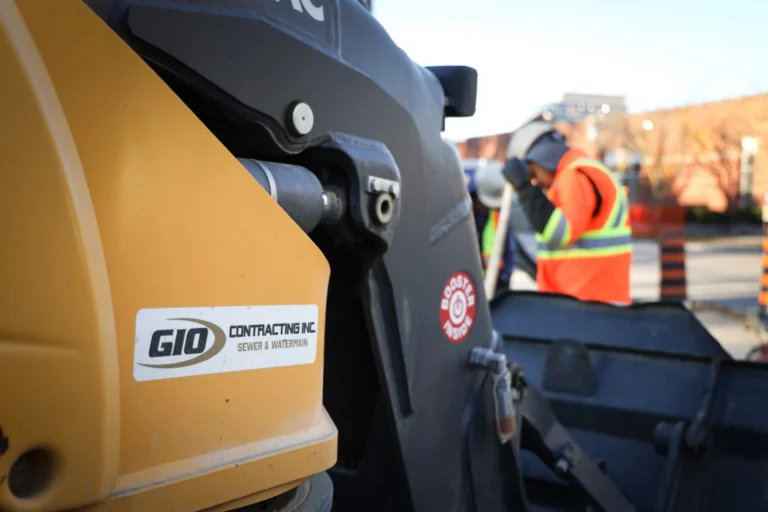
Stock photos of construction workers and blueprints tell visitors nothing about your work. Actual job site photos do three things: they prove you’re a real company, they show the quality of your work, and they give Google image content to index.
When Premier Concrete Pumping came to us, their site had almost no photos of actual jobs. After the rebuild, we added a full gallery of pump truck operations, large commercial pours, and residential foundation work. That visual proof alone changed how visitors engaged with the site.
Before-and-after photos are especially effective for trades like landscaping, painting, and remodeling. Show the starting condition and the finished result side by side. That’s a more convincing sales tool than any paragraph of copy.
Element 5: A Reviews Section That’s Visible, Not Hidden
Your Google reviews and testimonials should be on your homepage and your key service pages. Not buried in a separate “Testimonials” tab. Not just a widget in the footer.
Pull 3 to 5 of your best Google reviews and display them prominently. Use the customer’s full name and the specific job type if they mentioned it. “Great work” from “John D.” is weak. “They repoured our entire driveway and it looks incredible. Done in one day, clean site, no surprises on the invoice” from “Kevin Marchetti, Phoenix AZ” is strong.
The more specific the testimonial, the more it converts. Specificity signals authenticity.
Element 6: Fast Load Time on Mobile
More than 60% of searches for local contractors happen on mobile devices. If your site takes more than 3 seconds to load on a phone, a large portion of your visitors will leave before they see anything.
The most common culprits: oversized images, cheap shared hosting, and outdated page builders that load too many scripts. A contractor website doesn’t need to be complex. It needs to be fast, clear, and functional.
You can test your current site speed with Google’s PageSpeed Insights. If you’re scoring below 60 on mobile, that’s affecting your Google rankings too, not just your bounce rate.
Element 7: A Homepage That Leads Somewhere
Every page on your website should have one clear next step. For a homepage, that’s usually either “Call us” or “Get a free estimate.” For a service page, it’s a contact form or a call button.
The worst contractor homepages are ones that give visitors too many choices and no clear direction. A visitor shouldn’t have to decide between six different buttons. Give them one primary action and make it obvious.
Element 8: An About Section That Builds Trust
People hire people. An about section that shows who runs the company, how long you’ve been in business, and what you stand behind does more for conversions than most contractors expect.
You don’t need a long story. A photo of yourself or your team, 2 to 3 sentences about the company, years in business, and licensing or insurance details. That’s it. It answers the unspoken question every potential client has: “Is this a real, trustworthy company?”
Element 9: A Contact Page That’s Actually Easy to Use
Your contact form should ask for the minimum information needed to follow up. Name, phone number, type of job, location. That’s it. Every extra field you add reduces the number of people who complete it.
Include your phone number again on the contact page, alongside the form. Some people just want to call. Others want to fill out a form at 11pm when you’re not available. Give them both options.
Does Your Website Have All of These?
Most contractor websites are missing at least half of these elements. That’s not a dig, most were built quickly, cheaply, or by someone who knew how to make it look okay but not how to make it generate leads. The good news is that every one of these issues is fixable.
Premier Concrete Pumping went from zero organic visitors to 400 a month after their site was rebuilt with these principles. No paid ads. Just a site that actually does its job.
If you want to see what your site is missing, our guide on what makes a contractor website generate leads goes deeper on the conversion side. And if you want help building or rebuilding yours, our contractor website design service is built specifically for trade and construction companies.
Frequently Asked Questions: Contractor Website Examples
How many pages should a contractor website have?
At minimum, you need a homepage, an about page, individual service pages for each service you offer, a gallery or portfolio page, and a contact page. A well-built contractor site often has 15 to 30 pages when you factor in separate location pages and trade-specific service pages. More targeted pages means more chances to rank in search.
Do I need a blog on my contractor website?
A blog helps with SEO if you’re publishing useful, specific content that answers questions your potential customers are actually searching for. Generic blog posts about “5 reasons to hire a contractor” won’t move the needle. Posts that target specific keywords, like “how to find a concrete contractor in [city],” can bring in real organic traffic over time.
What platform should I build my contractor website on?
WordPress is the most common platform for contractor websites because it gives the most flexibility for SEO and content management. Squarespace and Wix are easier to set up but have real limitations when it comes to technical SEO and custom functionality. What matters more than the platform is the structure, content, and speed of the final site.
How long does it take to see results from a new website?
Organic search results from a new or rebuilt website typically start to show within 3 to 6 months, assuming the site is properly optimized. You’ll usually see faster results in low-competition local markets. Paid ads can drive traffic to your new site immediately while organic rankings build.
Should my contractor website have a chat widget?
Live chat can help convert visitors who aren’t ready to call, but only if someone is actually monitoring it during business hours. An unanswered chat widget looks worse than no chat at all. If you don’t have someone who can respond quickly, a simple contact form is more reliable.
How important is it to have HTTPS on my contractor website?
It’s required. Google flags sites without HTTPS as “Not Secure,” which immediately kills trust with visitors. It also affects your search rankings. Any reputable hosting provider will include an SSL certificate. If your site still shows as “Not Secure” in the browser, fix that first before anything else.
Get a Website That Actually Works
A contractor website that looks decent but doesn’t generate leads is just an expensive business card. If you’re ready to build something that actually works, reach out to us. We build websites for construction and trade companies only, and every site we deliver is built to rank and convert.